Protect an Unintentionally Exposed Server Port with Firewall Rules

Premium Challenge
Upgrade your membership to unlock this and all other premium materials.
In this challenge, an HTTP service is already running on port 8080 of the server machine. The problem? It's exposed to the entire network, and anyone can reach it, even though it was meant to be accessible only from the same machine.
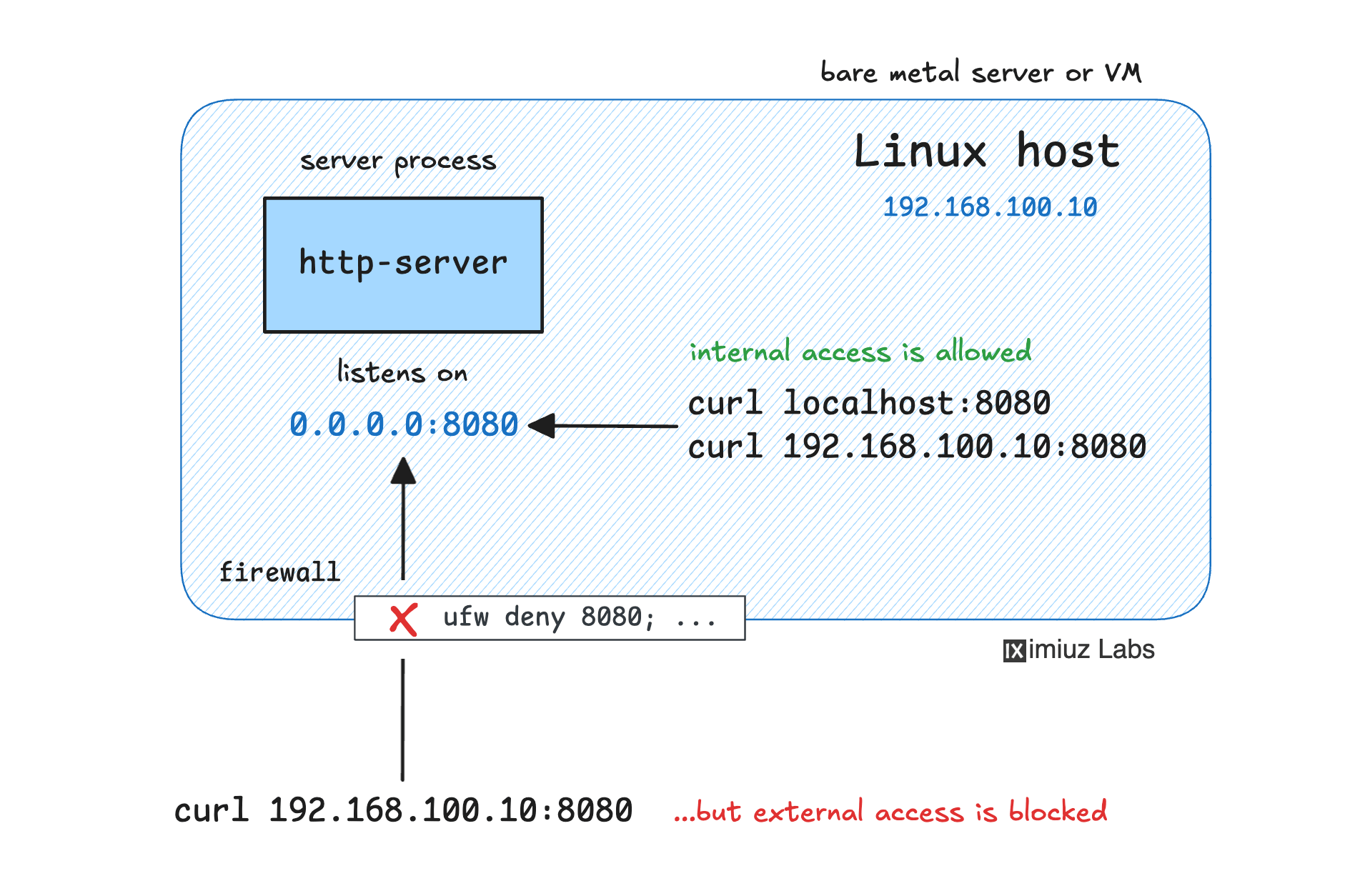
Your mission: protect the port using only firewall rules so that the service remains accessible for local clients but is blocked from external access.
Important: You must not stop, restart, or reconfigure the service itself.
The service must keep running and listening on 0.0.0.0:8080 as is.
The only thing you're allowed to change is the firewall configuration.
Objectives
Hint 1
Linux has built-in firewalling mechanisms:
iptables- the traditional packet filtering framework with a large ecosystemnftables- a more modern and flexible successor toiptables, but also more complex
You can either use them directly or rely on a higher-level “frontend” tool:
ufw- a simple and relatively user-friendly firewall toolfirewalld- a more advanced tool designed for dynamic environments
Check the documentation for each tool to learn how to use them.
Hint 2
You need to block incoming traffic on port 8080 from external sources while still allowing connections from the server machine itself. To test the service is still accessible locally, you can use the following commands:
curl http://localhost:8080/
curl http://192.168.100.10:8080/