Challenge
DifficultyEasy
Community stats103 solved of 115 attempts
Kill a Stubborn Process with SIGKILL

When applications trap signals like SIGINT (Ctrl+C) or SIGTERM, they can intercept the signal and refuse to exit.
To handle rogue or unresponsive processes, the Linux kernel provides SIGKILL (Signal 9), the uncatchable signal that bypasses application code entirely and immediately reclaims process resources.
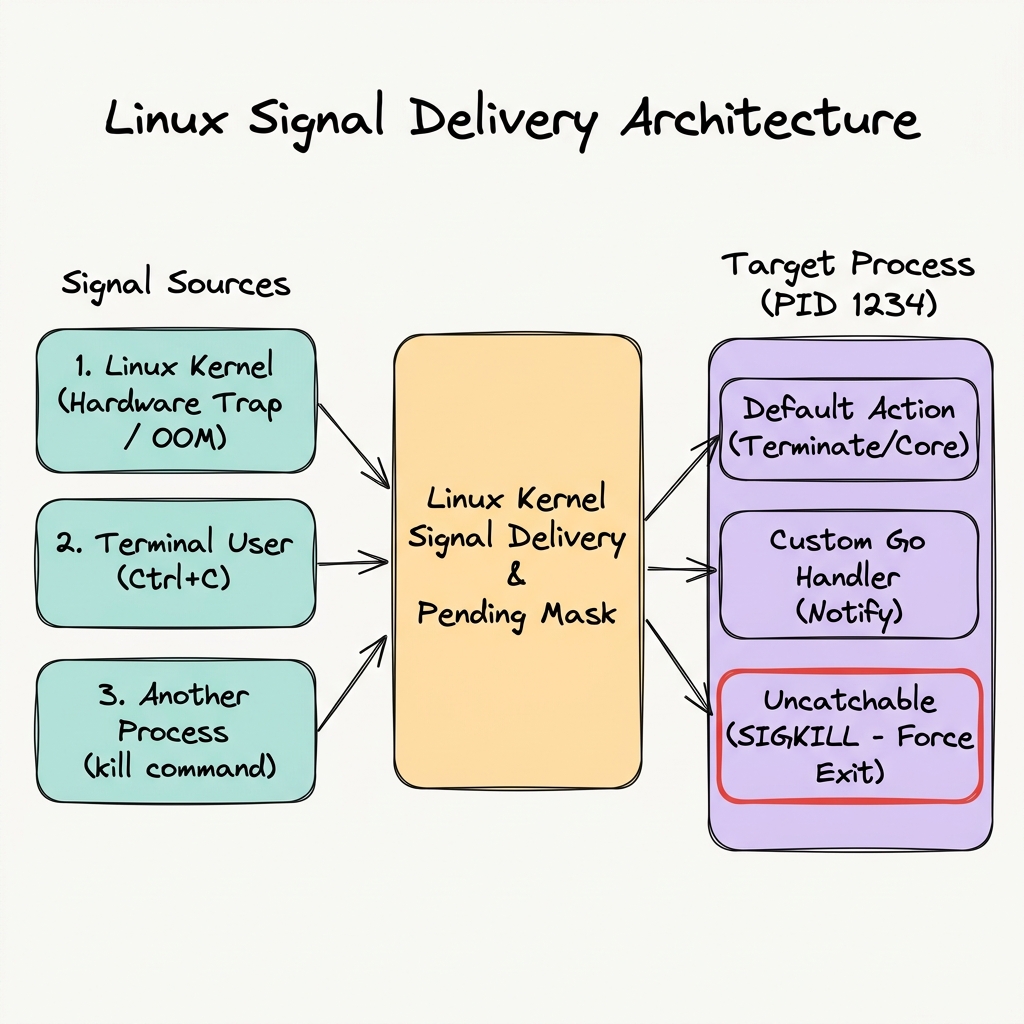
In this challenge, you will explore signal handling firsthand by launching a process that traps interrupt signals and terminating it with SIGKILL.
Task Instructions
- Start the Process: Execute
~/exercise/stubbornin your terminal (or run it in the background). - Send SIGINT (Ctrl+C): Press
Ctrl+Cwhile the process is running (or sendkill -2 <PID>). Observe how it catches the signal and refuses to quit. - Terminate with SIGKILL: Use
SIGKILL(kill -9 <PID>orpkill -9 stubborn) to force the process to exit (you can open a new terminal from the+icon on the terminal pane).
Hint: Need a Refresher on Signals?
Check out the tutorial Linux Processes: Understanding Signals to learn more about signals, signal handling, and SIGKILL.