Write a Dockerfile for a Simple Web Server Application

Premium Challenge
Upgrade your membership to unlock this and all other premium materials.
In this challenge, you will write a Dockerfile from scratch to containerize a Node.js web application built with Express.js.
The application is located in the ~/app/ directory.
It's a simple web server that serves a couple of HTML pages
and exposes a REST API with a few endpoints.
Take a moment to explore the code and file structure before you begin.
If you'd like to test the application locally before containerizing it,
run the following commands from the ~/app/ directory:
npm install- install the dependenciesnpm start- start the application server
Then open a second terminal and verify the application works:
curl localhost:3000
curl localhost:3000/api/health
Your goal is to:
- Create a
Dockerfilein the~/app/directory. - Build a Docker image named
my-app:v1.0.0. - Ensure the containerized application starts correctly and serves all pages and API endpoints on port
3000.
You can test your image at any point by running:
docker run -p 3000:3000 my-app:v1.0.0
Hint 1
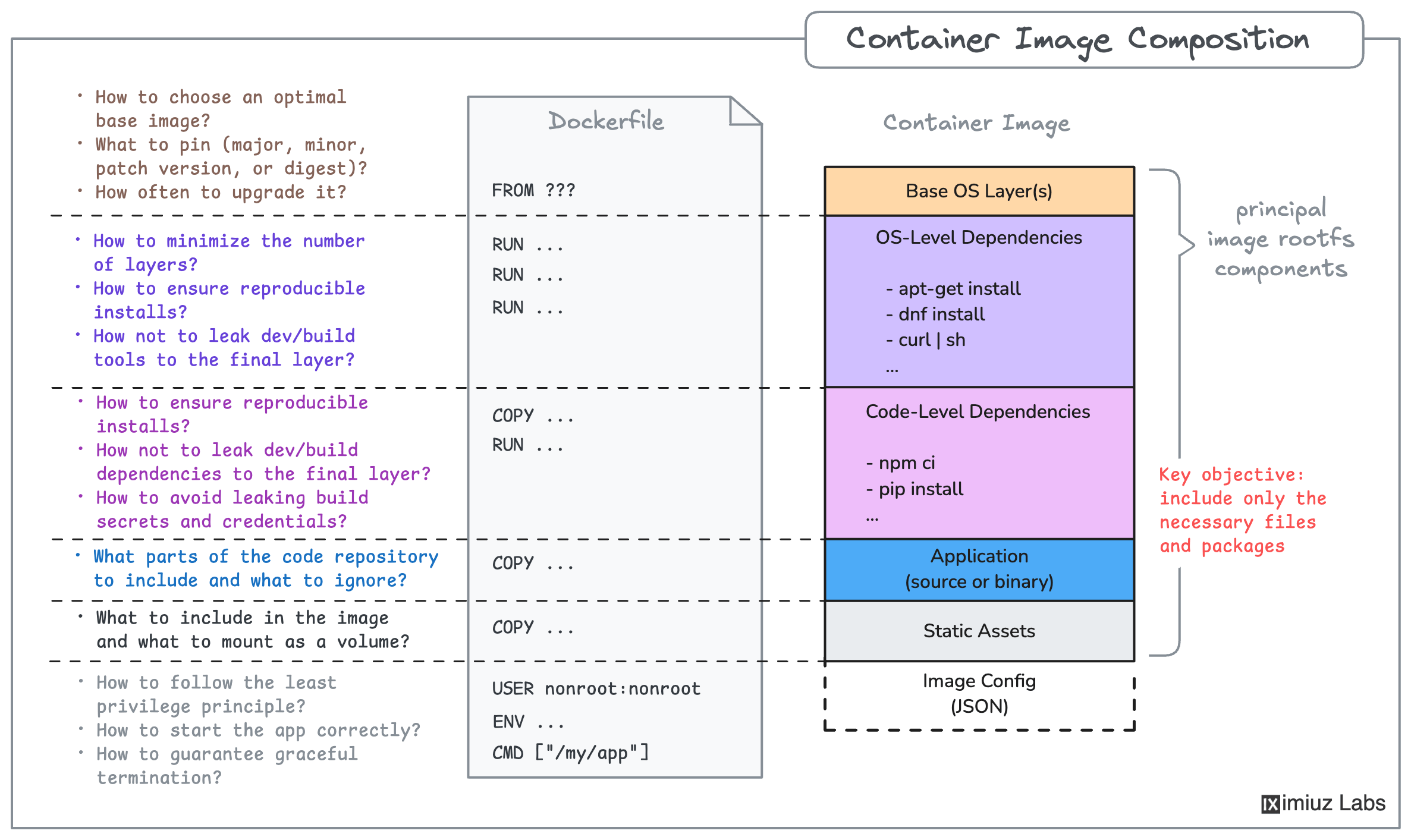
A Dockerfile is a text file that contains instructions for building a Docker image - a portable filesystem snapshot that includes the application code and all its dependencies.
At minimum, your Dockerfile needs the following instructions:
FROM- specify a base image (e.g.,node:24-slim)COPY- copy your application files into the imageRUN- run thenpm install(or better yet,npm ci) command to install the dependenciesCMD- specify the command to start the application server
Check out the Dockerfile reference for more details.
Hint 2
For a refresher on how to build a Docker image, check out this challenge:
Hint 3
If the container fails to start or the containerized application doesn't respond, run the container in the foreground - it may shed some light on the issue:
docker run -p 3000:3000 my-app:v1.0.0
Double-check that the npm install (or npm ci) command is executed in the Dockerfile
to install the application dependencies, and make sure the server process is up and running inside the container.