Write Your First Dockerfile

Premium Challenge
Upgrade your membership to unlock this and all other premium materials.
In this challenge, you will write your very first Dockerfile to containerize a simplistic Node.js server application.
The application is located in the ~/app/ directory.
It's a single server.js file that creates an HTTP server
using only Node.js built-in modules - no external dependencies needed.
Take a moment to look at the code before you begin:
cat ~/app/server.js
If you'd like to test the application locally before containerizing it, run the following command:
node ~/app/server.js
Then open a second terminal and verify the application works:
curl localhost:3000
curl localhost:3000/api/health
Your goal is to:
- Create a
Dockerfilein the~/app/directory. - Build a Docker image named
my-app:v1.0.0. - Ensure the containerized application starts correctly and responds on port
3000.
You can test your image at any point by running:
docker run -p 3000:3000 my-app:v1.0.0
Hint 1
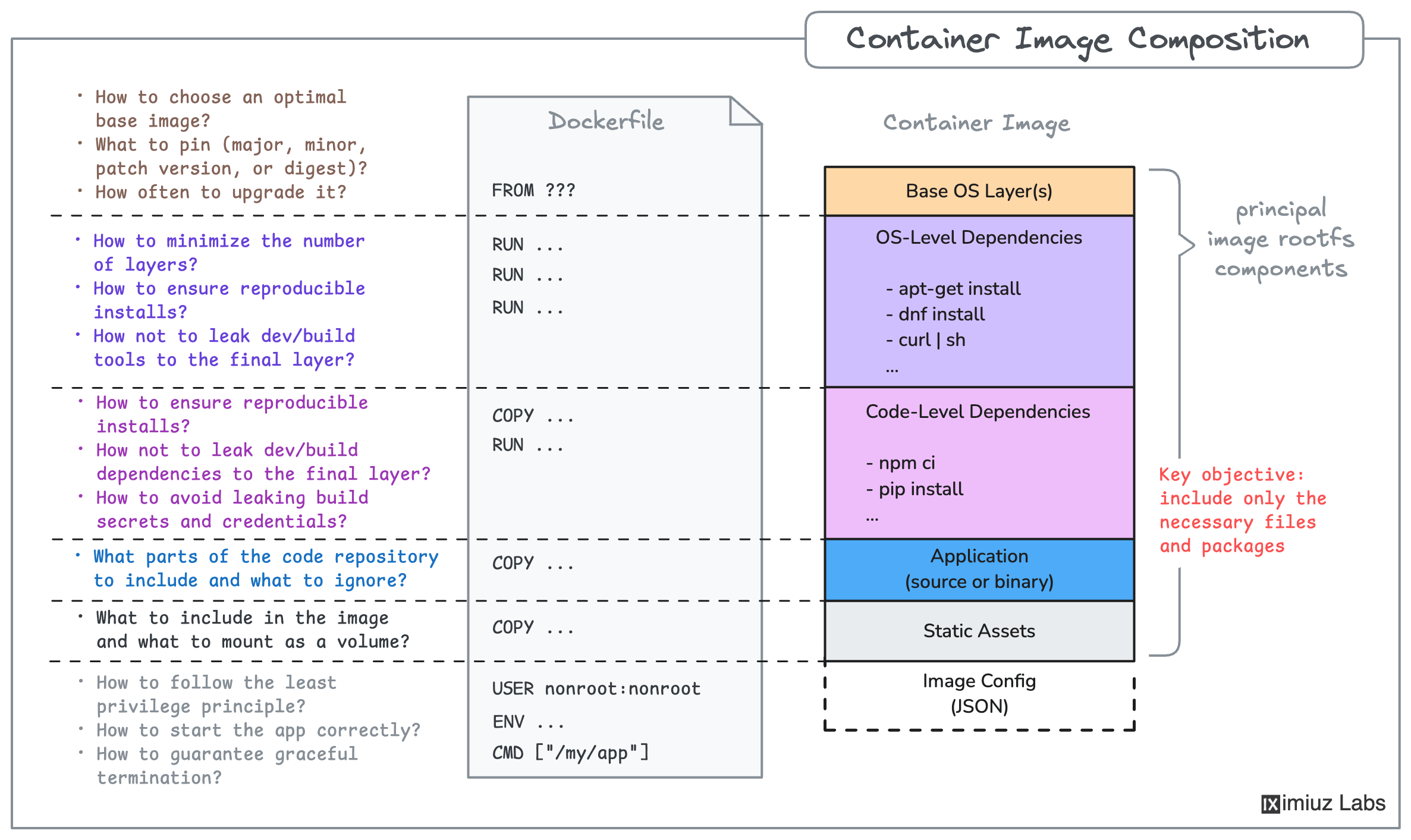
A Dockerfile is a text file that contains a set of instructions for building a container image - a portable filesystem snapshot that includes the application code and everything needed to run it.
Since the application in this challenge is a single server.js file with no external dependencies,
your Dockerfile only needs three instructions:
FROM- specify a base image that already has Node.js installed (e.g.,node:24-slim)COPY- copyserver.jsfrom the host filesystem into the imageCMD- specify the command to start the application (e.g.,node server.js)
Check out the Dockerfile reference for more details.
Hint 2
For a refresher on how to build a Docker image, check out this challenge:
Hint 3
If the container fails to start or the containerized application doesn't respond, run the container in the foreground - it may shed some light on the issue:
docker run -p 3000:3000 my-app:v1.0.0
Make sure your Dockerfile copies server.js into the image
and that the CMD instruction starts the server correctly.