Transfer Container Images to an Air-Gapped Environment

Premium Challenge
Upgrade your membership to unlock this and all other premium materials.
Your team is preparing to deploy a new application stack to an on-premise server. Unlike the development environment, the production server is completely isolated from the public Internet - a hardened, air-gapped environment with no route to any external network or container registry.
Both workstation and airgapped VMs run a Docker daemon and share an internal network.
From workstation, the air-gapped server is reachable over SSH:
ssh laborant@airgapped.internal
This challenge is designed to simulate an on-premise server in an air-gapped environment. In a real-world scenario, you would need to transfer the data over a network-less channel (e.g., a USB drive).
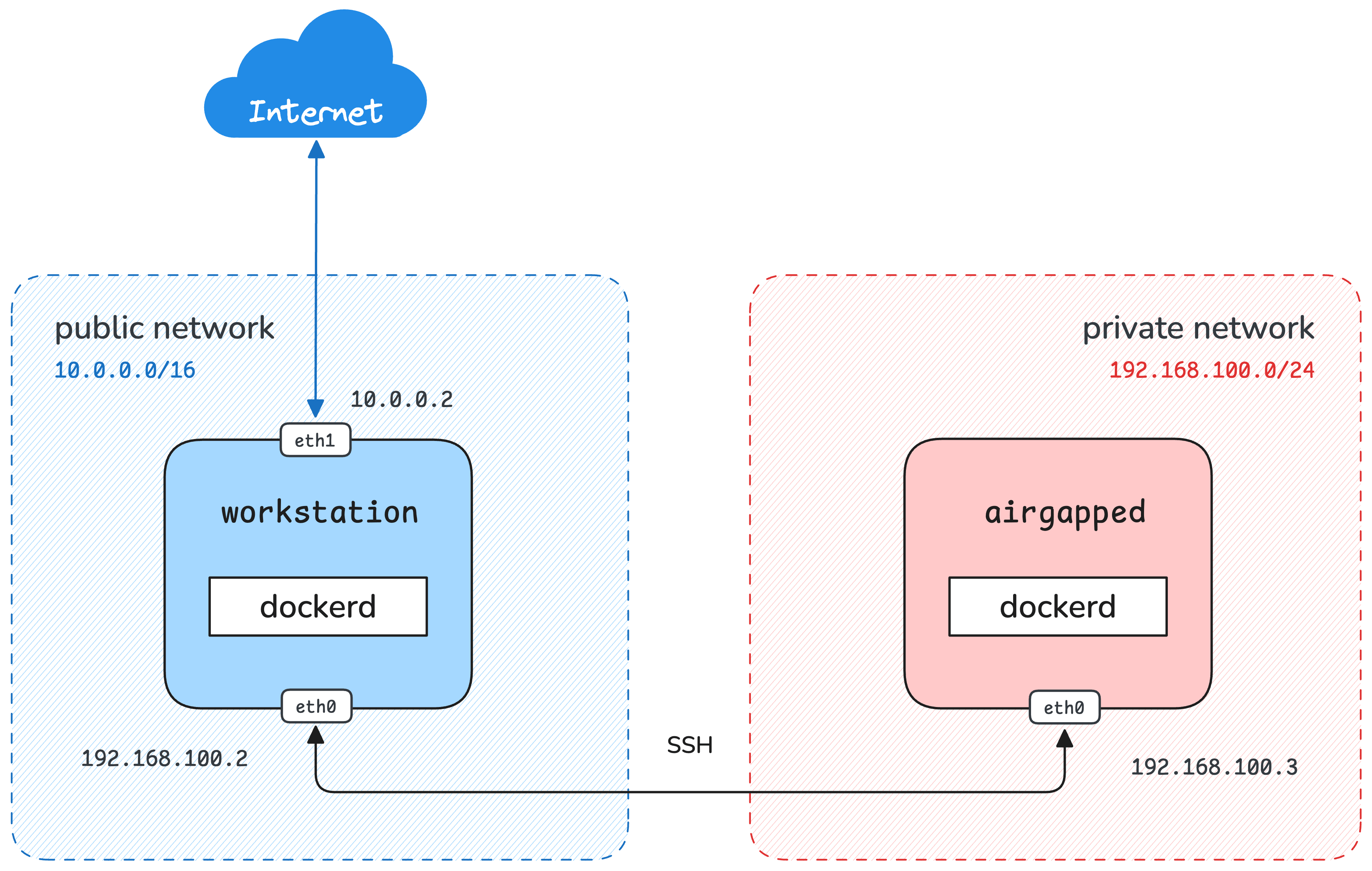
The airgapped server expects the following container images to be present in its local Docker daemon:
ghcr.io/iximiuz/labs/nginx:alpine
ghcr.io/iximiuz/labs/alpine:3
Neither image is there yet - and airgapped cannot pull them from any registry.
Get both images loaded into the Docker daemon on airgapped.
Hint: General approach
airgapped cannot contact any registry directly, but it can receive files from workstation
over the internal network.
Docker provides two commands designed for registry-free image transport:
one that serializes an image (or several) into a portable tar archive,
and another that imports that archive into a daemon.
Both are listed in docker --help.
Hint: Step 1 - get the image onto workstation
Before anything can be transferred, the image must exist locally.
Use workstation to pull it from the registry first.
Hint: Step 2 - export the image to an archive
docker save writes one or more images to a tar archive.
It accepts image names as arguments and can write to a file with the -o flag,
or pipe the output to stdout.
Run docker save --help to see the exact syntax.
Hint: Step 3 - copy the archive to airgapped
The scp command copies files between hosts over SSH.
Its syntax is:
scp <source> <user>@<host>:<destination>
From workstation, you can reach airgapped at the hostname airgapped.internal.
Hint: Step 4 - import the archive on airgapped
Once the archive is on airgapped, use docker load to restore the images into the daemon.
It reads a tar archive produced by docker save.
Run docker load --help to see the exact syntax.