Docker 101: Pull Container Images from Different Registries

Premium Challenge
Upgrade your membership to unlock this and all other premium materials.
In this challenge, you'll pull container images from different registries using the docker pull command.
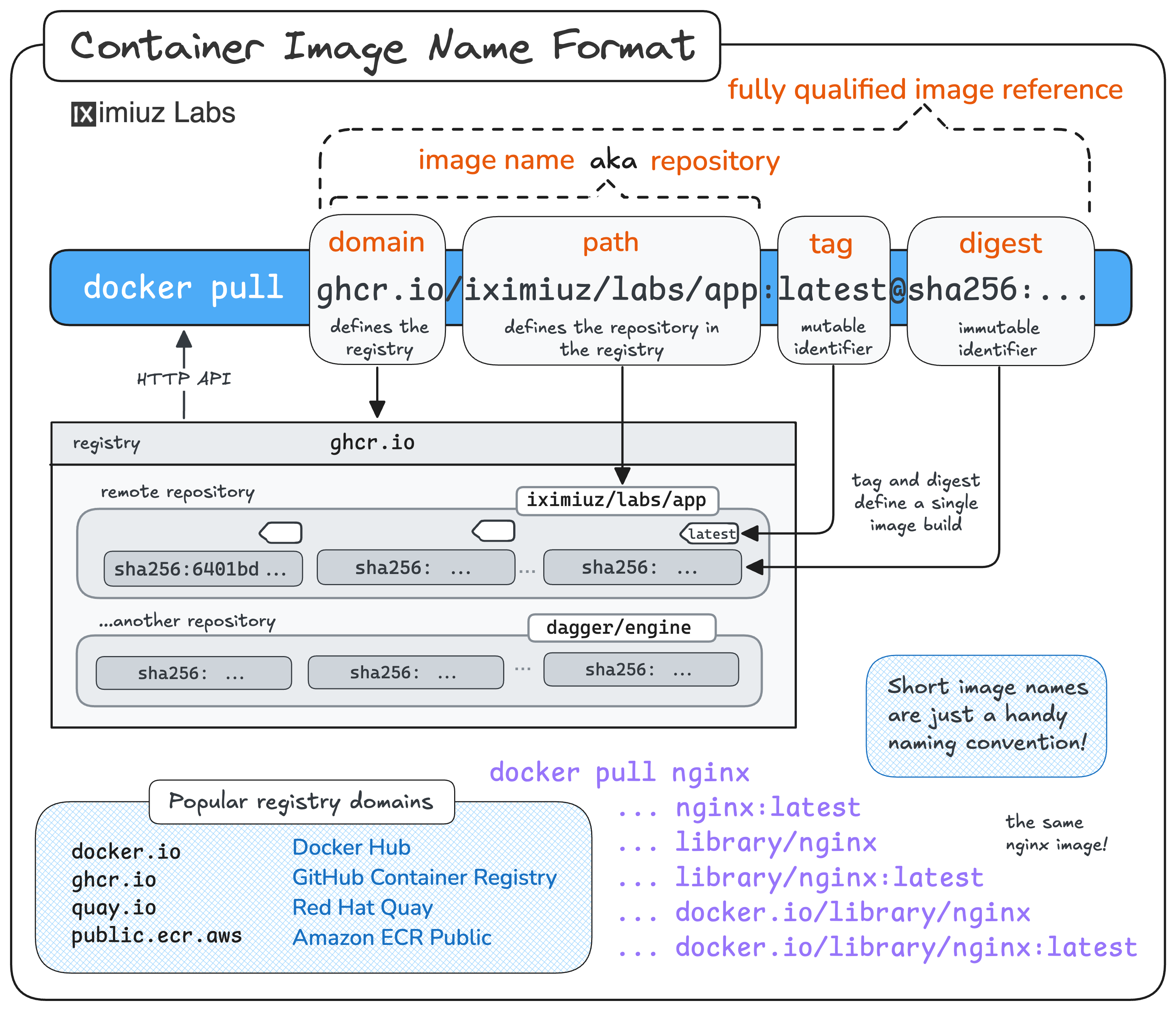
Let's start simple - pull an nginx image from Docker Hub.
Hint 1
The docker pull command downloads an image from a registry.
Try docker pull --help to see how to use it.
Hint 2
Docker is smart enough to expand short image names.
Running docker pull nginx is equivalent to docker pull docker.io/library/nginx:latest,
where docker.io is the registry domain of Docker Hub, and library/nginx is the repository path.
Docker Hub is not the only container registry out there.
Let's pull an image from Google Container Registry (GCR) - gcr.io/distroless/static-debian13 is a good candidate.
Hint 3
When pulling from a non-Docker Hub registry, you must use the fully-qualified image reference, including the registry domain and the tag.
To solidify your knowledge, let's pull an image from one more registry - the GitHub Container Registry (GHCR). This time, you'll need to come up with the image example yourself.
Hint 4
A fully-qualified image reference consists of three parts:
the registry domain, the repository path, and the tag.
For example, in gcr.io/distroless/static-debian13:nonroot,
the domain is gcr.io, the repository path is distroless/static-debian13,
and the tag is nonroot.
Hint 5
The GitHub Container Registry domain is ghcr.io.
Hint 6
On GHCR, the image repository path is typically the same as the code repository path.
For example, images of the github.com/openfaas/faas-netes project are hosted at ghcr.io/openfaas/faas-netes.