Write a C Program Without a main() Function

The main() function is not a magic requirement of the C language. It is a convention enforced by the C runtime startup code, which is linked into your program by default and eventually calls main(). If you skip the standard startup files and provide your own entry point, the linker will happily build a binary that runs without main().
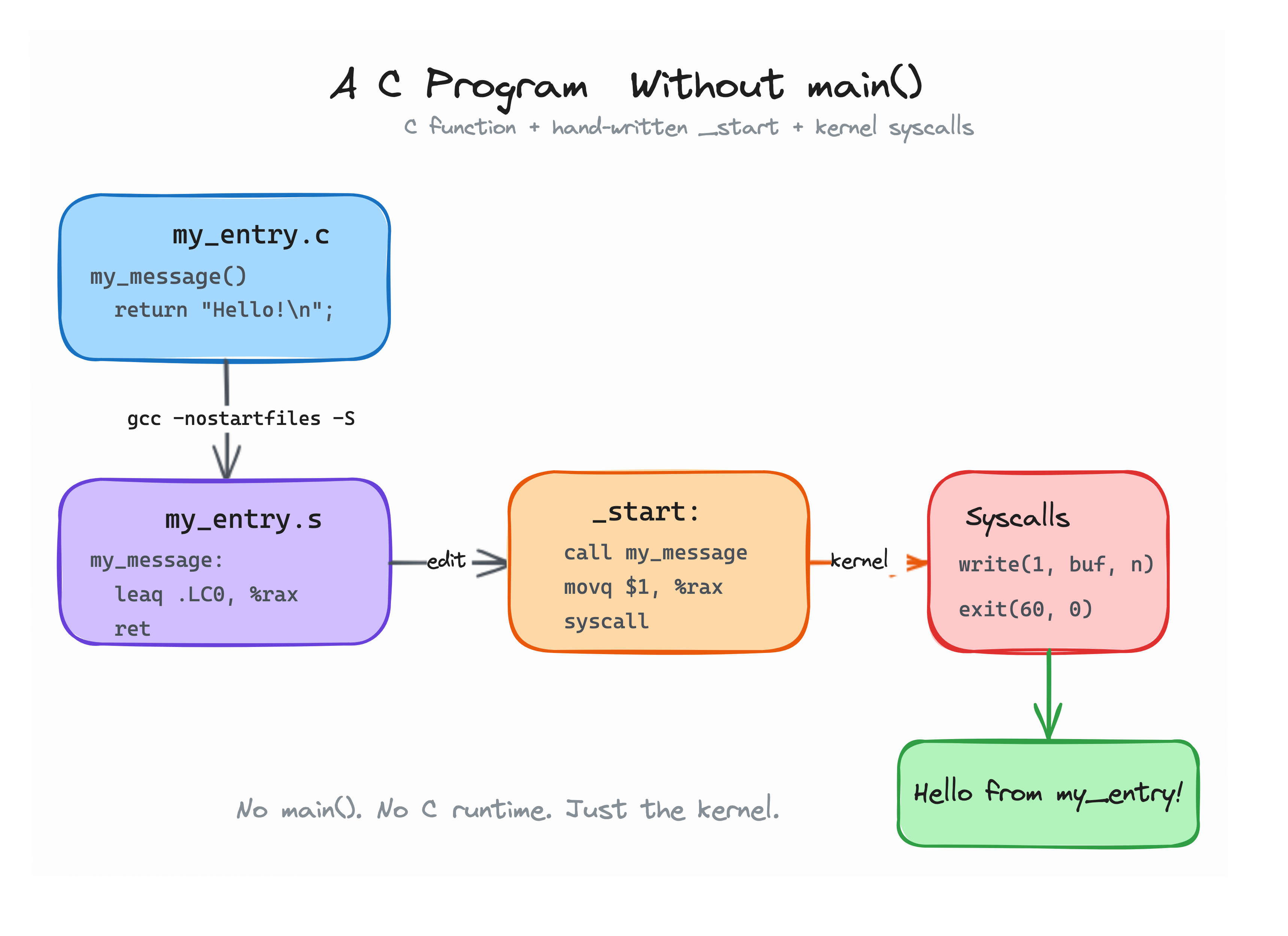
The pure no-main architecture: custom function, hand-written _start, and kernel syscalls.
Your goal is to create a workspace directory ~/exercise and produce a runnable binary at ~/exercise/no-main that:
- Has no
main()function. - Runs and exits with code
0.
One possible path is:
- Create directory
~/exercise(mkdir -p ~/exercise && cd ~/exercise). - Write a C file with a custom function that returns some data without calling libc.
- Compile it to assembly with
gcc -nostartfiles -S. - Append a
_startentry point to the assembly that calls your custom function, uses a raw syscall to print or compute, and exits cleanly. - Link with
gcc -nostartfiles -o no-main. - Run the resulting binary.
Companion Tutorial
Need a detailed walkthrough on how C compilation, linker entry points, and raw syscalls work under the hood? Read the companion tutorial: Writing a (valid) C program without main().
Hint 1
If your custom function calls printf, the binary will probably crash. printf is part of glibc, and glibc needs the startup code that -nostartfiles removes.
Hint 2
The linker expects the entry point symbol to be named _start. You can append a _start block directly to the generated .s file. Make sure to switch back to the .text section first:
.text
.globl _start
_start:
    call my_entry
    movq $60, %rax
    xorq %rdi, %rdi
    syscall
Hint 3
On x86_64 Linux, write is syscall number 1 and exit is syscall number 60. The write syscall takes a file descriptor in %rdi, a buffer in %rsi, and a length in %rdx.