Provision and Configure a PersistentVolume and PersistentVolumeClaim for a Deployment

Scenario
The jupiter namespace has been created for a new project that requires
persistent storage. Your job is to provision that storage from scratch using
static provisioning: manually create a PersistentVolume, bind a
PersistentVolumeClaim to it, and configure a Deployment to use it.
All resources must use consistent names and settings so that Kubernetes can bind the PV and PVC automatically without a StorageClass.
Task
Three resources must be created in the correct order. The PV must exist before the PVC can bind to it, and the Deployment references the PVC by name.
Create a PersistentVolume named jupiter-project-jupiter-pv with the following
spec:
- Capacity:
1Gi - Access mode:
ReadWriteOnce - HostPath:
/Volumes/Data - No
storageClassName(leave the field empty)
Hint 1 - PersistentVolume manifest
A PersistentVolume is a cluster-scoped resource — it does not belong to a namespace. Create the file and apply it:
kubectl apply -f pv.yaml
kubectl get pv jupiter-project-jupiter-pv
Expected status: Available
The key fields to get right:
spec:
  capacity:
    storage: ___
  accessModes:
    - ___
  hostPath:
    path: ___
  storageClassName: ""
Setting storageClassName: "" is required for static provisioning. Without it,
Kubernetes may attempt dynamic provisioning and the PVC will never bind to this PV.
Documentation
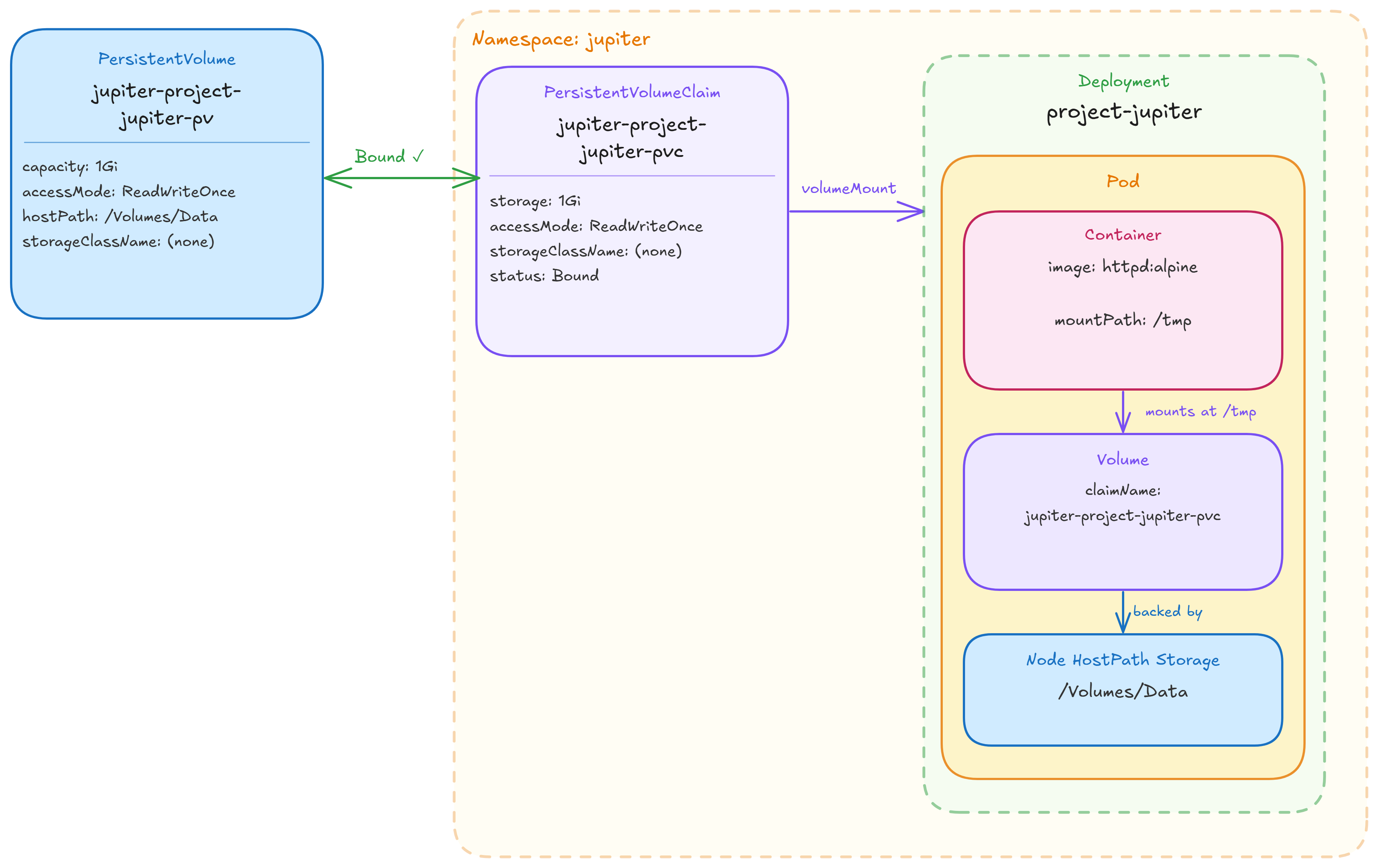
Static provisioning flow — the PV must exist before the PVC can bind, and the PVC must be Bound before the pod can start.