Forward a Port Using The Multipurpose Relay Tool: socat

Premium Challenge
Upgrade your membership to unlock this and all other premium materials.
There is an HTTP service listening on port 127.0.0.1:5000.
Your task is to make this service also available on 0.0.0.0:6000.
You're not allowed to change the service configuration or restart it,
and you should use socat to map the port.
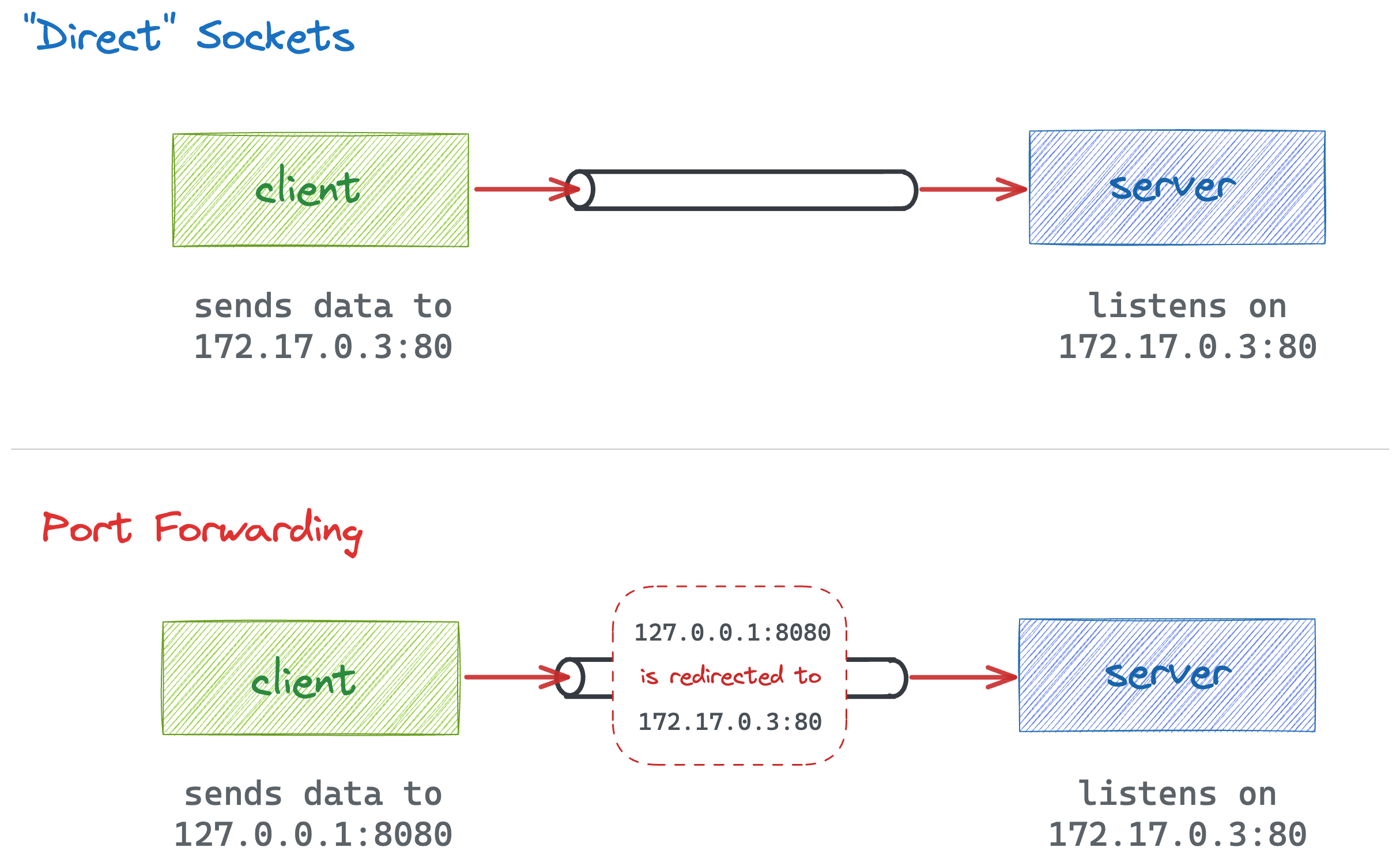
Port forwarding vs. direct socket access. Note: The IP addresses and ports on the diagram are chosen arbitrarily.
Hint 1
Port forwarding a.k.a. port mapping is a form of Network Address Translation (NAT) that redirects packets from one address to another. Linux has a number of lower-level networking tools to implement it, so there is no need to bring in a full-blown proxy like Envoy, Nginx, or Caddy.
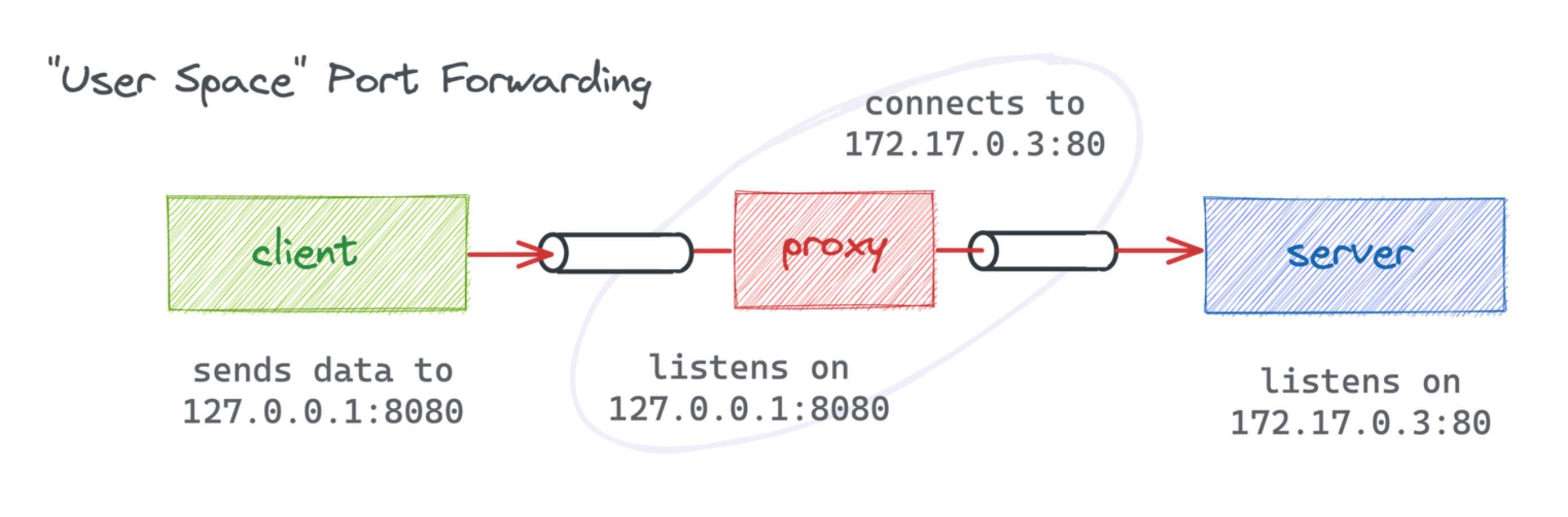
Port forwarding with a user-space proxy (socat, netcat, etc.). Note: The IP addresses and ports on the diagram are chosen arbitrarily.
Hint 2
socat is a universal "relay" tool that can forward data between two arbitrary endpoints (files, pipes, sockets, etc.).
Hint 3
In the socket-forwarding mode, socat acts as a proxy server that accepts connections on one end and forwards data to a predefined destination on the other end.
Hint 4
Knowing the main steps a typical socket server performs
to accept and process a connection will help you grasp the socat port forwarding command syntax.