Send a Signal to a Kubernetes App: a Slim Container Case

In this challenge, you'll need to signal a container running in the Pod called
slim.
The target container has nothing but the app binary inside, so you won't be able to kubectl exec into it.
Your cluster access is also limited -
you can perform typical application management tasks in the default namespace,
but the rest of the cluster (including SSH-ing into cluster nodes) is off limits.
Ah, and of course, you're not allowed to modify or redeploy the Pod.
Good luck!
Hint 1
Since there is no shell in the container, and SSH access to cluster nodes is disabled, your options are fairly limited. Which is great!
Hint 2
Look at the challenge's tag list - it may give you some ideas.
Hint 3
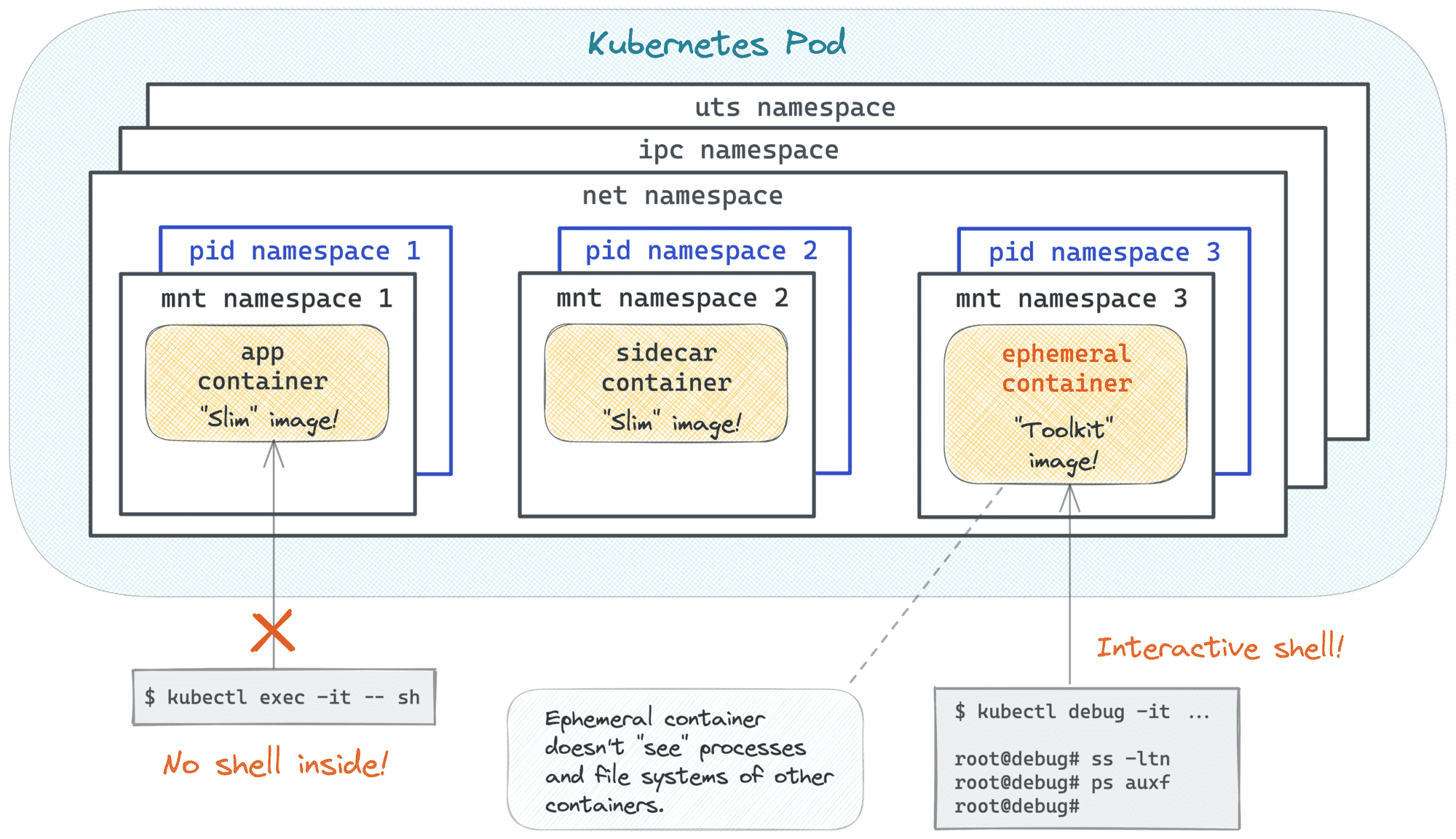
With the kubectl debug command, you can spawn ephemeral containers in already running Pods without causing any disruption.
And you can use whatever images you want for them!
Hint 4
Much like kubectl exec, kubectl debug can also be used to execute commands in the target Pod,
including starting interactive shells.
Hint 5
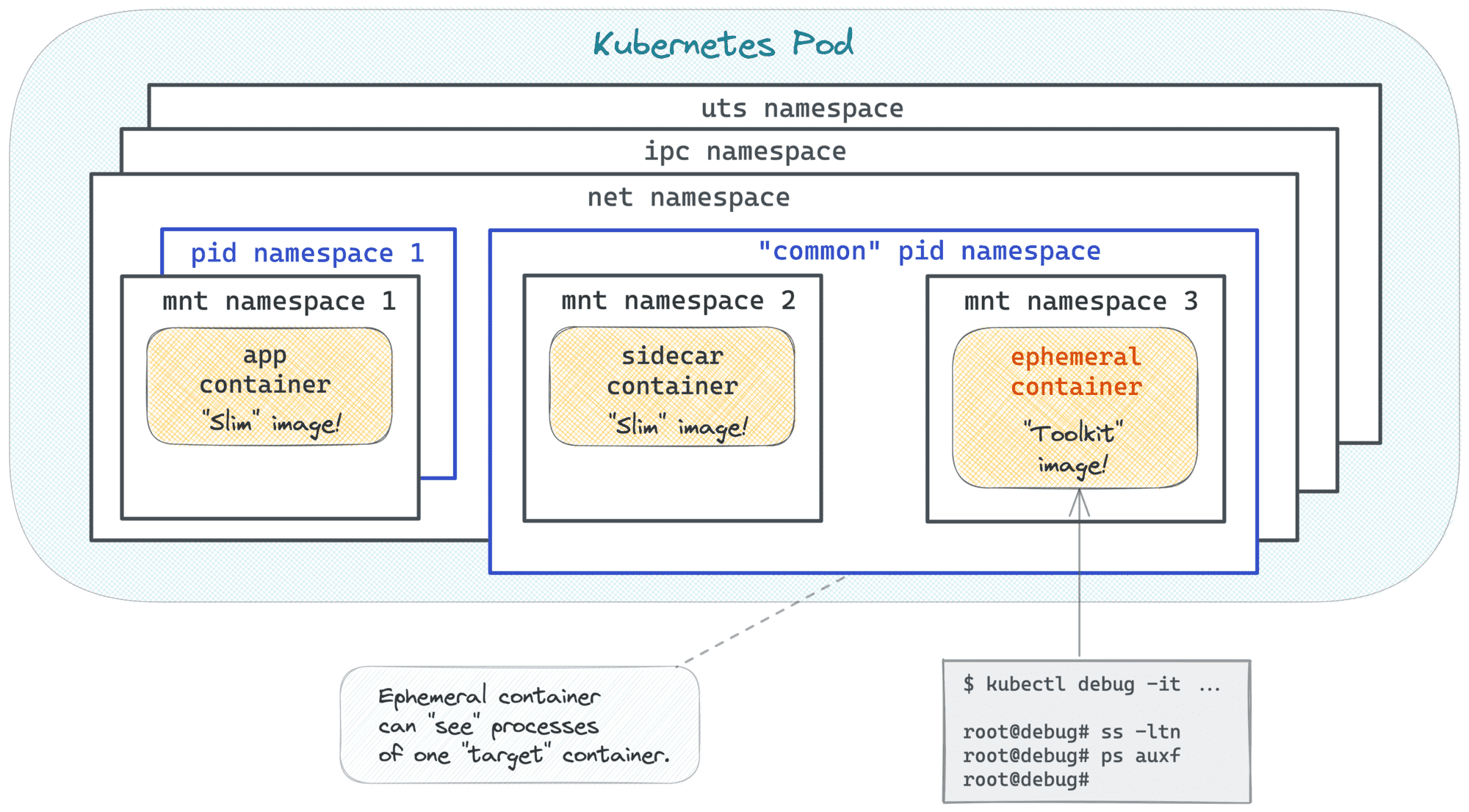
Inside the right Pod but cannot see the application process? Make sure you're targeting the right container. 😉
Hint 6
The kubectl debug command can fail with the following error:
Error from server (Forbidden): pods "slim" is forbidden:
violates PodSecurity "baseline:latest":
non-default capabilities (container "debugger-r4d4s" must not
include "SYS_PTRACE" in securityContext.capabilities.add)
This happens because the default debug profile of kubectl debug adds the SYS_PTRACE Linux capability to every ephemeral container.
The SYS_PTRACE capability is useful for inspecting processes, but it is not allowed by the baseline Pod Security profile enforced in this namespace.
As a result, the API server rejects the ephemeral debug container before it is created.
To get past this, look for a kubectl debug --profile option that lets you choose a Pod-Security-compatible debug profile instead of the default one.