Inspect a Preprocessor Macro Expansion

Before high-level C code is compiled into assembly instructions or binary machine code, it must pass through the preprocessor stage. The preprocessor handles directive lines starting with #, resolving header inclusions (#include) and performing macro text expansions (#define) before the actual compiler runs. This challenge is a hands-on detour into this very first stage of the C compilation pipeline.
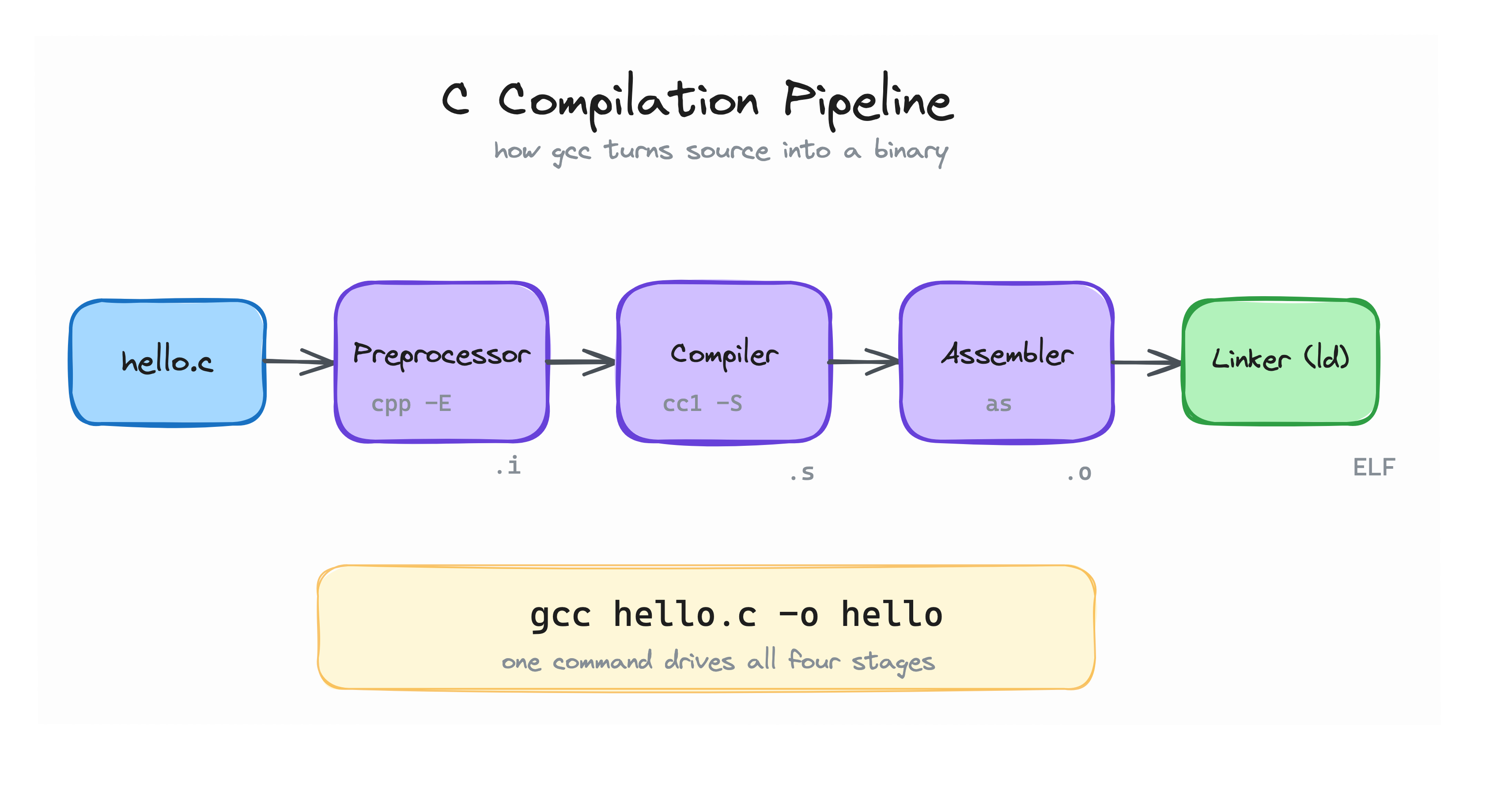
The four stages of the C compilation pipeline. This challenge focuses on the first one.
When you write a macro like #define GREETING "Hello, expanded world!\n", the compiler does not see the word GREETING. The preprocessor replaces it before the compiler proper even starts. The -E flag tells gcc to stop after that stage, so you can inspect the expanded source.
Your task is to:
- Create a workspace directory named
~/exercise. - Inside
~/exercise, create a file namedpreprocessor.cwith the following contents:
#include <stdio.h>

#define GREETING "Hello, expanded world!\n"

int main(void) {
    printf("%s", GREETING);
    return 0;
}
- Change into
~/exerciseand rungcc -E preprocessor.c. - Locate the exact line where the
GREETINGmacro was expanded inside theprintfcall. - Paste the exact expanded
printfline into the text box below (without any extra whitespaces).
Hint 1
Create the directory and change into it: mkdir -p ~/exercise && cd ~/exercise.
Hint 2
The gcc -E flag stops after the preprocessor. Run gcc -E preprocessor.c inside ~/exercise. The output is long because #include <stdio.h> expands too.
Hint 3
You can narrow the preprocessed output with gcc -E preprocessor.c | grep printf. Look for the line where GREETING was replaced by its literal string.