Inject an Ephemeral Container into a Distroless Pod and Test Cross-Namespace HTTP

Scenario
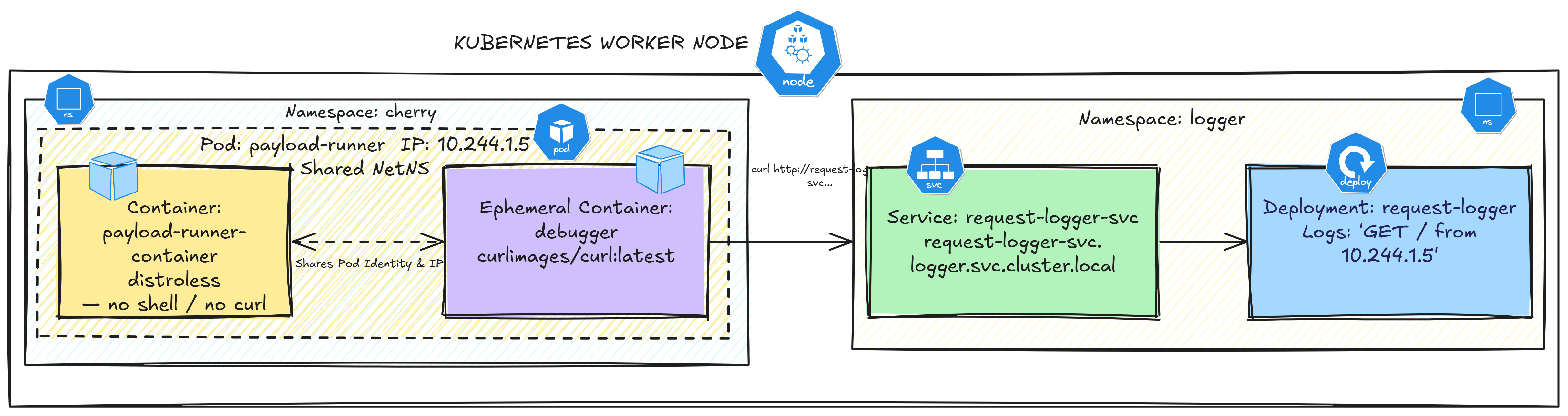
A pod named payload-runner is running in the cherry namespace using a distroless image — there is no shell, no curl, and no debugging tools inside the container.
You need to confirm this pod can reach the request-logger service running in the logger namespace at request-logger-svc.logger.svc.cluster.local.
Since you cannot exec into a distroless container, you need a different way to test connectivity from inside that pod's network namespace.
Task
Attach an ephemeral container (curlimages/curl:latest) to payload-runner using kubectl debug.
From the ephemeral container, send a request to request-logger-svc.logger.svc.cluster.local. Then inspect the request-logger logs and verify that the recorded source IP matches the IP of the payload-runner pod.
This confirms that the request originated from the pod's own network identity rather than from a separate test pod.
Confirming the request-logger logs contain the payload-runner pod IP and the curl-test request.
Do not modify the payload-runner pod spec or the request-logger deployment.
Hint 1 — Attach an Ephemeral Container
Use kubectl debug to inject a temporary container into the running pod. The --target flag ensures that the ephemeral container shares the target container's network namespace, rather than running as a separate sidecar container.
To learn more about the available options, run:
kubectl debug --help
Documentation
Hint 2 — Send the Test Request
Once attached, send a request to the request-logger Service using its
cross-namespace DNS name:
curl request-logger-svc.logger.svc.cluster.local
Because the ephemeral container shares payload-runner's network namespace,
this request leaves using payload-runner's own Pod IP — not a separate
identity.
Documentation
Hint 3 — Confirm the Request in request-logger's Logs
Get payload-runner's Pod IP, then check whether it appears in the
request-logger pod's logs:
kubectl get pod payload-runner -n cherry -o jsonpath='{.status.podIP}'

LOGGER_POD=$(kubectl get pod -n logger -l app=request-logger \
  -o jsonpath='{.items[0].metadata.name}')
kubectl logs -n logger "$LOGGER_POD"
If the Pod IP appears in the logs, the request is correctly attributed to
payload-runner itself.