Implement Canary Deployment Strategy

Scenario
An existing frontend-stable Deployment runs nginx:stable with 10 replicas in the canary namespace and serves custom HTML from the frontend-v1-config ConfigMap.
Implement a canary deployment strategy by creating a new Deployment named frontend-canary using the nginx:alpine image.
Configure the environment to achieve an 80/20 traffic split between the frontend-stable and frontend-canary deployments while maintaining a total of 10 replicas.
Ensure the frontend-service Service continues to target pods labeled app=frontend.
Mount thefrontend-v2-config ConfigMap at /usr/share/nginx/html using subPath: index.html, and add the labels app: frontend and version: v2 to the canary pods.
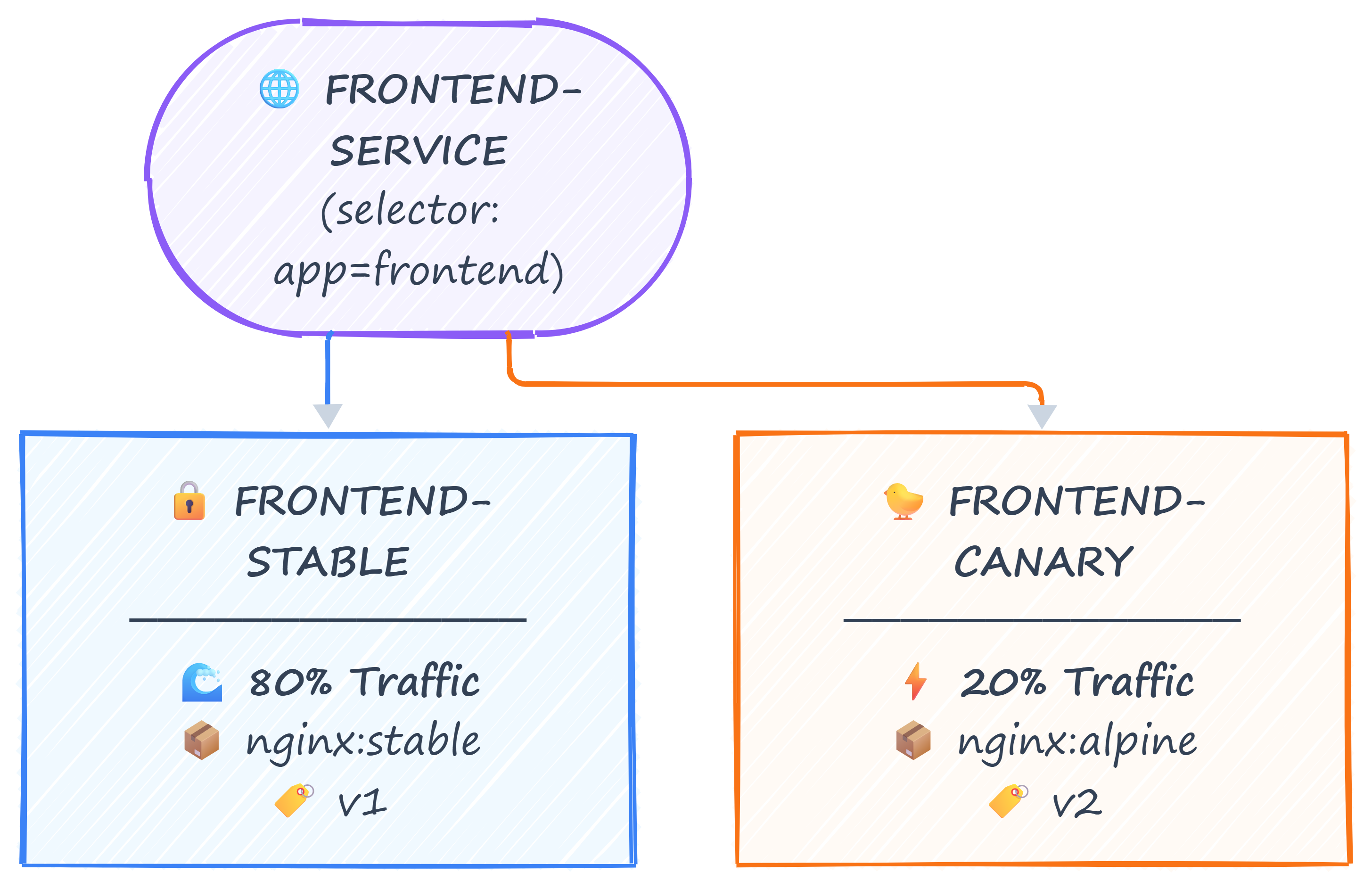
The diagram shows a canary deployment.
curl http://cplane-01:30007 # Test traffic — run multiple times, ~2 in 10 should hit canary
Hint
Adjust the deployments to achieve an 80/20 traffic split (8 stable / 2 canary) while maintaining 10 total pods.