Execute Host Commands Inside a Running Container

Premium Challenge
Upgrade your membership to unlock this and all other premium materials.
You've been handed a running HTTP API container named app-1.
Its public interface is exposed on 0.0.0.0:8080.
However, there is also a debug interface bound to 127.0.0.1:15000 inside the container.
Your task is to query this debug endpoint.
There is a catch: the image is distroless (no shell, no package manager, no HTTP clients),
and 127.0.0.1 refers to the loopback in the container's own network namespace, not the host's.
Hint 1
The container uses a minimalistic image with just one executable - the API server binary itself.
Thus, you won't be able to docker exec into the container to start an interactive shell or execute any other commands.
Hint 2
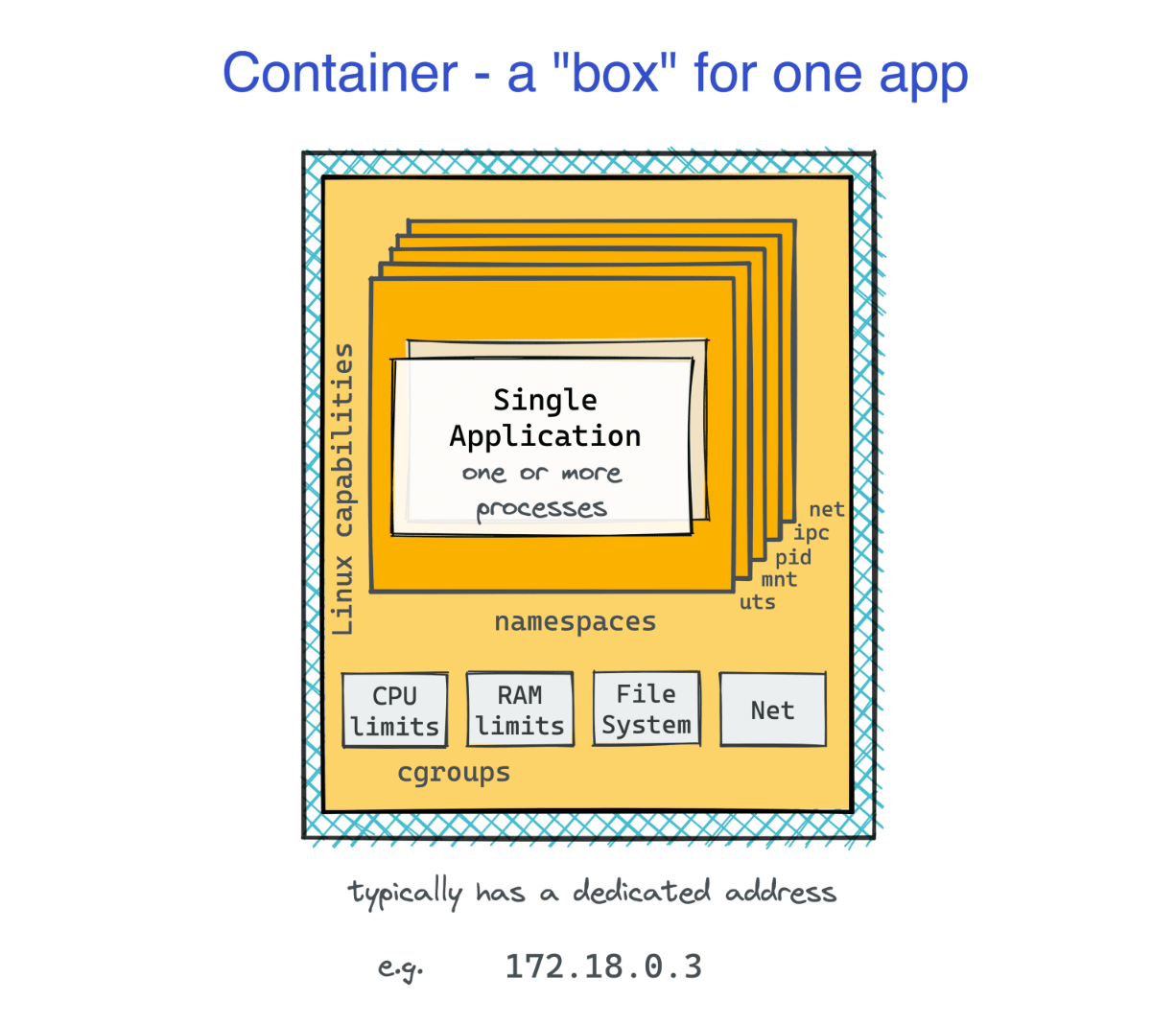
Each container runs in its own network namespace.
The container's 127.0.0.1 isn't the host's 127.0.0.1.
To reach 127.0.0.1:15000, you need to operate within the container's network namespace.
Hint 3
You can enter another process's network namespace from the host using the nsenter utility with a --net and --target PID flags.
Look up how to identify the PID of a container's main process.
Hint 4
Once inside the correct network namespace, 127.0.0.1:15000 resolves to the container's debug interface.
But since you've entered only the network namespace but stayed in the host's mount namespace,
all host-side HTTP clients will keep working (e.g., curl, wget, etc.).