Materials by Ivan Velichko

Tutorials, challenges, courses, skill paths, playgrounds, and more — search the whole library in one place.

Ivan Velichko
Ivan Velichko

Ivan is the creator of iximiuz Labs and a long-time tech blogger and educator with a traditional focus on server-side tech and containers.

Tutorial

How Container Registries Work: Pushing and Pulling Images By Hand

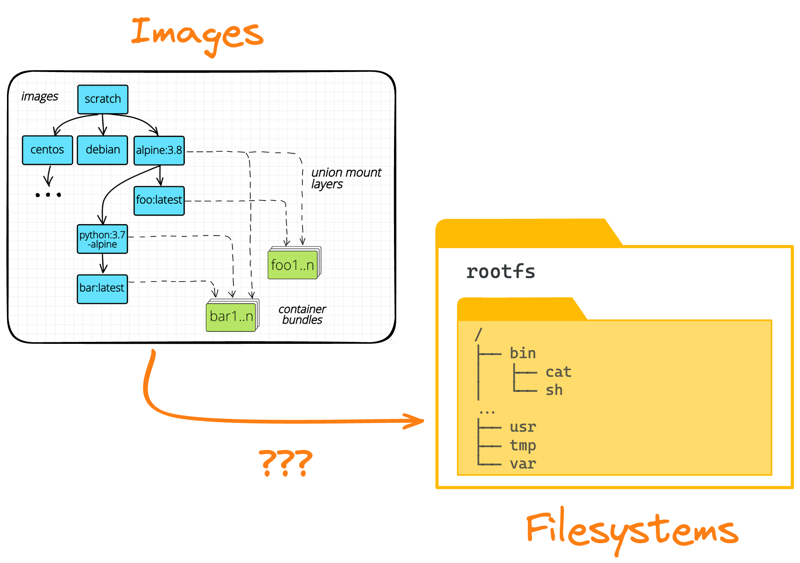
Container registries look simple until you need to debug what was actually pushed, why a pull picked the wrong image, or why deleting a tag didn't remove anything. Learn how registries work by pushing, pulling, inspecting, and deleting image data directly through the Registry API.

How Container Registries Work: Pushing and Pulling Images By Hand (cover image)
Tutorial

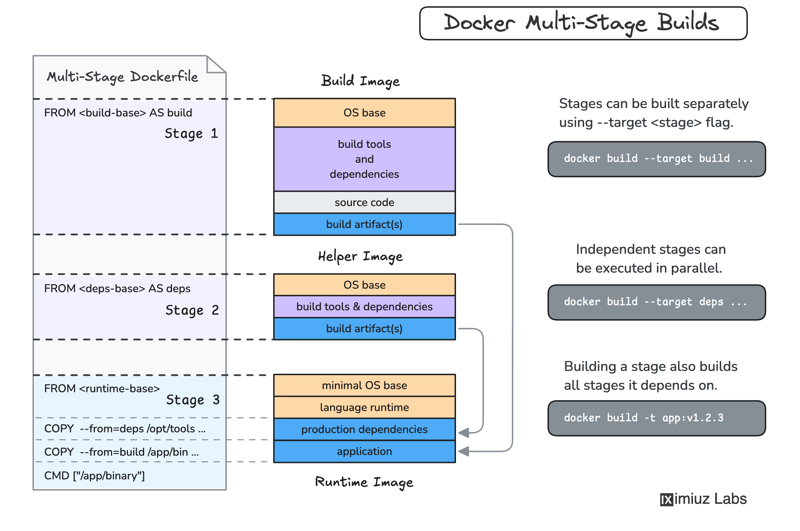
How to Build Smaller Container Images: Docker Multi-Stage Builds

Learn how to build smaller, more secure Docker container images using Multi-Stage Builds. This guide explains common sources of image bloat, best practices for slimming down production images, and practical examples for Node.js, Go, Rust, and other application stacks. Start optimizing your containers today!

How to Build Smaller Container Images: Docker Multi-Stage Builds (cover image)
See all tutorials →
Challenge

Debug a Go Container Image That Fails to Start After a Recent Change

A Go service that has always been shipped as a static binary in a scratch-y image suddenly fails to start in a container, while the local build works as before. Find what recent changes caused it and fix the image without reverting them.

Challenge

Purge an Accidentally Pushed Image From a Container Registry

Sometimes an image needs to be removed from a registry - because it was pushed by mistake, contains sensitive data, or simply should no longer be available. Practice purging a container image properly: remove the tag, trace it to the manifest and blobs behind it, and make sure the image can no longer be pulled - even by digest.

See all challenges →
Skill Path

Docker 101: Build Container Images

Learn how to write Dockerfiles from scratch and build production-ready container images. Start with the basics of image building and progress through handling dependencies, compiling applications, inspecting image internals, and optimizing builds with multi-stage Dockerfiles. Then go deeper with advanced Dockerfile instructions, analyzing image internals, and producing multi-platform builds.

Skill Path

Docker 101: Pull and Push Container Images

Learn how to move container images between your machine and container registries. Practice pulling images by tag, digest, and platform; tagging and pushing them to public and private registries; mirroring images across repositories; shipping images into air-gapped environments; and publishing multi-platform images.

See all skill paths →
Roadmap
Work-in-Progress

Docker The Hands-On Way

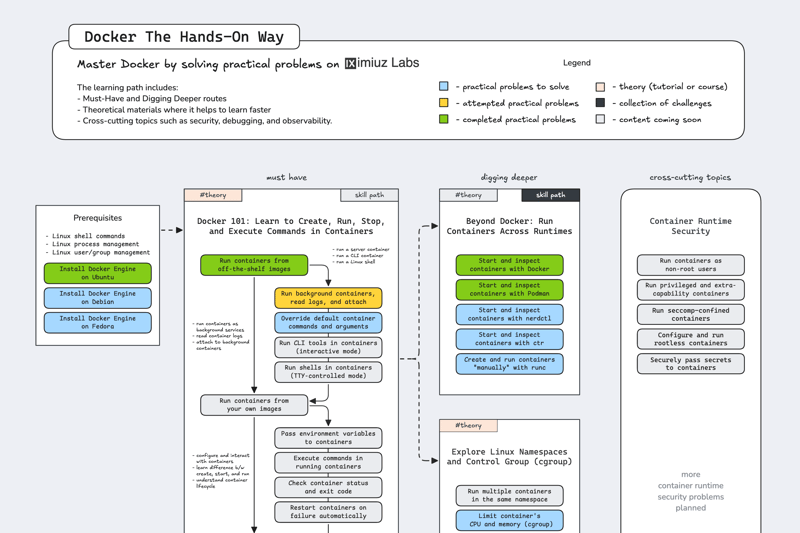
Master Docker by solving practical problems. The learning path includes: Must-Have and Digging Deeper routes, theoretical materials where it helps to learn faster, and cross-cutting topics such as security, debugging, and observability.

  • 1 Course
  • 15 Tutorials
  • 7 Skill Paths
  • 111 Challenges
Docker The Hands-On Way (cover image)
See all roadmaps →